Production Traffic Capture
Record HTTP, gRPC, Postgres, MySQL, and Redis traffic. Connect Kubernetes services through the operator or use proxymock locally. Configure DLP redaction for sensitive values.
AI coding tools generate code quickly, but they need context about your application's production behavior. Speedscale captures real request/response patterns and replays them against AI-generated changes, so you ship code that actually works.
Three steps to validate AI-generated code against production reality.
Record your production reality
Capture Traffic Context: real API traffic, database queries, and third-party interactions from a working application. Configure redaction rules for sensitive values and review the recorded request/response pairs before using them as a baseline.
Build production context from recordings
Speedscale generates service mocks from captured traffic. Supply recorded responses for databases, third-party APIs, and microservices. Configure unmatched calls to avoid live passthrough when the test needs isolation.
Validate AI code against reality
Replay captured traffic against AI-generated code changes. Compare responses against the recorded baseline, accounting for dynamic values with replay transforms. Catch regressions in behavior, latency, and contract compliance before the code ever reaches production.
# 1. Capture traffic from production
proxymock record -- java -jar MYJAR.jar

# 2. AI writes code
claude OR opencode OR cursor OR copilot

# 3. Run the mock server to simulate reality
proxymock mock -- java -jar MYJAR.jar

# 4. Replay realistic scenarios to find new defects
proxymock replay --fail-if "latency.p95 > 50" --fail-if "requests.failed > 0"

2 EVALS PASSED
 ✔ passed eval "latency.p95 > 50.00" - observed latency.p95 was 46.00
✔ passed eval "requests.failed > 0.00" - observed requests.failed was 0.00AI code verification checks whether an AI-generated change meets your application's requirements. With Speedscale, captured requests and responses supply a baseline: replay the requests against the changed application and compare its output with the working version.
The result checks the cases in that recording. It can reveal a changed response body, a failed request, or a latency difference. It doesn't prove correctness for every possible input. Keep unit tests and security checks alongside replay.
An agent can write a test from the same assumption it used to write the implementation. A saved recording gives it observed behavior to compare against. Capture the working application before asking for a change, and preserve that recording while investigating differences.
For an intentional API change, define the new expected behavior from the requirement. Updating the baseline just to make a failing run pass would remove the check you wanted.
The traffic replay walkthrough uses mock-lab and a coding agent. The repository contains examples in several languages. Clone the lab, open the Go application in your editor, and follow the proxymock setup instructions.
git clone https://github.com/speedscale/mock-lab.git
cd mock-lab/languages/go
Ask the agent to record the application and exercise its API. Once you have a working recording, use a prompt that keeps the baseline explicit:
Test this change by replaying the saved baseline against the updated app.
Keep the original recording unchanged. Report which requests differ and why.
If the change introduced a regression, fix it and rerun the same replay.
Open the results with proxymock web from the application directory. Inspect the failing request and its response rather than relying only on the agent's summary. The walkthrough shows how stale authentication can cause replay failures and how fresh values are carried into subsequent requests.
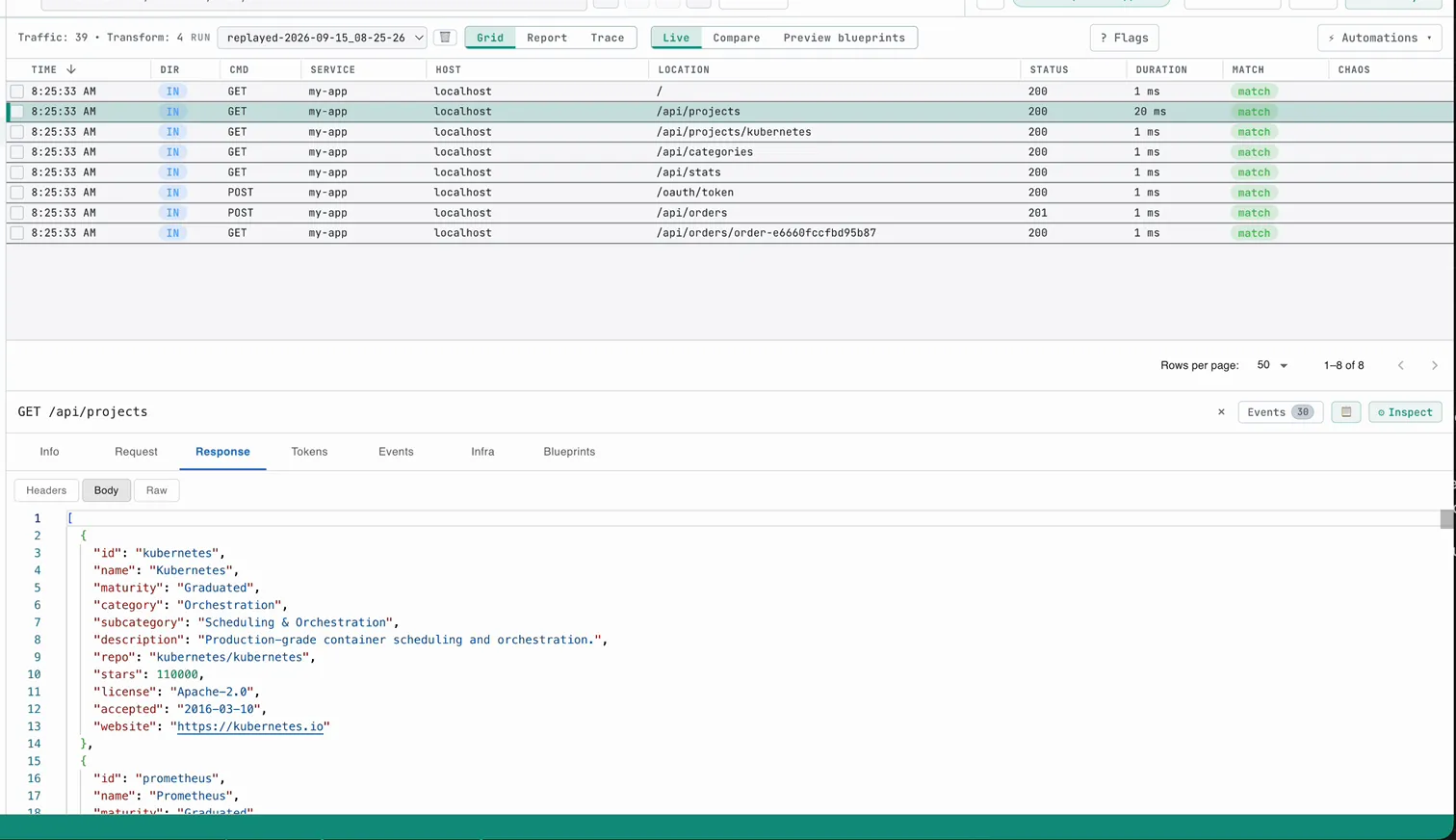
For an existing service, start with the proxymock quickstart and its protocol-specific setup. Speedscale Cloud connects Kubernetes services through the operator; proxymock supports local recording, mocking, and replay.
Replay checks recorded application behavior. An HTTP stub server is useful for a precise synthetic failure, and unit-test mocks and stubs help exercise isolated logic. Use each where its evidence matches the requirement.
The difference between code that compiles and code that works in production.
| Capability | Standard AI Coding | Traffic-Aware AI Coding |
|---|---|---|
| Test data source | Synthetic data, mocked responses, developer assumptions | Real production traffic patterns, actual API behaviors, genuine edge cases |
| Environment fidelity | Unit tests can miss dependency behavior absent from their fixtures | Recorded traffic supplies observed requests, dependency responses, and data shapes |
| Edge case coverage | Limited to scenarios developers anticipate | Includes the edge cases present in the captured traffic |
| Third-party API testing | Manual mocks that drift from reality; expensive sandbox calls | Recorded API responses avoid live dependency calls in an isolated test |
| Regression detection | Unit tests and static analysis check selected logic, types, and known error patterns | Replay comparisons can reveal changed responses, failures, and latency differences |
| CI/CD integration | Checks cover the inputs and assertions configured in the pipeline | Configure CI replay and failure thresholds to gate pull requests |
| Time to confidence | Manual QA and existing automated tests | Replay captured scenarios automatically; run time depends on the workload |
Diff view shows expected vs. actual responses for every replayed request
Latency histograms reveal performance regressions before they hit users
Inspect response differences and field mismatches
Give coding agents access to replay results through MCP
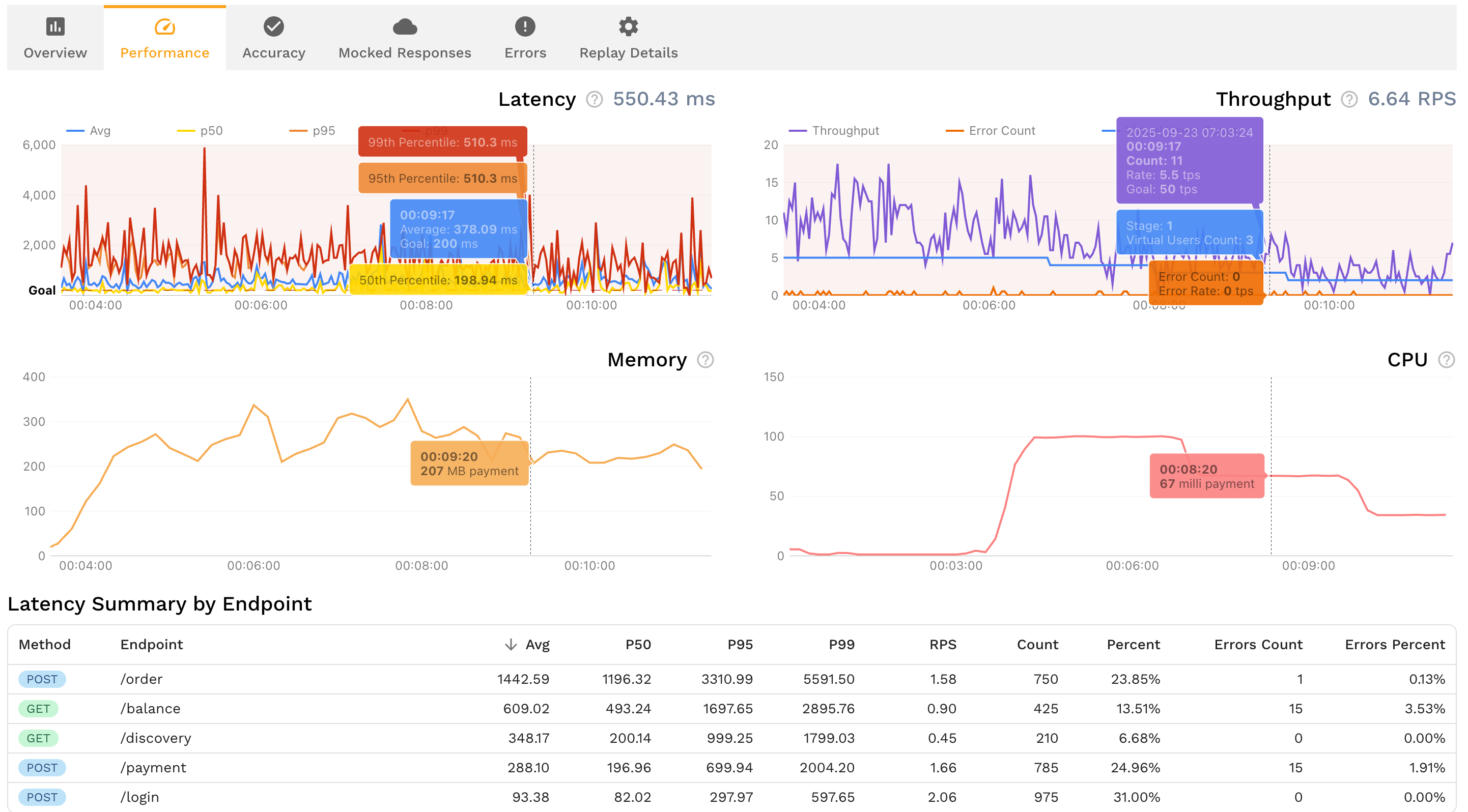
Capture, mock, and replay traffic to check AI-generated changes against recorded behavior.
Record HTTP, gRPC, Postgres, MySQL, and Redis traffic. Connect Kubernetes services through the operator or use proxymock locally. Configure DLP redaction for sensitive values.
Turn captured traffic into dependency mocks for supported protocols, including HTTP, Postgres, and Redis. Inspect fixtures and update them when dependency behavior changes.
Replay traffic and diff actual vs. expected responses. Inspect payload differences and missing fields while accounting for dynamic values.
Give Claude Code, Cursor, Copilot, and other AI coding tools direct access to traffic snapshots and replay results via Model Context Protocol.
Increase replay load to stress-test AI-generated code with captured request patterns. Choose concurrency and duration for the workload you need to check.
Configure your CI pipeline to publish replay results for pull request review. Reviewers can inspect which calls passed or failed.
The earlier you catch issues, the cheaper and faster they are to fix. Runtime validation integrates at every stage, from local development to production deployment.
Give Claude Code, Cursor, and Copilot direct access to production traffic via Model Context Protocol. AI agents see real request patterns and edge cases while writing code, generating better implementations from the start. Replay the saved baseline locally and inspect the results before committing.
Run traffic replay locally through the proxymock MCP server before submitting your pull request. Verify that AI-generated code handles real production scenarios, catches regressions, and maintains API behavior before your code enters team review.
Configure runtime validation in GitHub Actions, GitLab CI, or Jenkins to run traffic replay against changes and publish the results. Set failure thresholds and branch protections to require a passing replay check before merge.
Run final runtime validation when deploying to staging or production environments. Capture a working baseline before deployment, then replay it against the candidate version to inspect response differences and performance before releasing to users.
Use the same saved baseline during local development and CI. When an incident occurs, capture the affected flow and replay it to investigate the failure.
Use captured requests and dependency responses as your test inputs
Inspect changed responses and failures before approving a code change
Give reviewers and coding agents request-level results to inspect
AI coding tools like Claude Code, Cursor, and GitHub Copilot can generate code quickly. They need context about the production behavior your change must preserve. Without that context, an agent can miss the emoji usernames in your database, retry storms under load, or malformed headers sent by clients on flaky connections.
This is the Observability Gap applied to AI development. Your observability stack already recorded evidence about these production behaviors: edge cases, latency distributions, and dependency failures. But that knowledge sits in dashboards instead of flowing into your test suite. Static analysis catches syntax errors and type mismatches. Unit tests validate isolated logic. Replay adds a check for integration and behavioral regressions in captured API flows.
Runtime validation with production traffic replay closes this gap. Instead of testing AI code against synthetic data and developer assumptions, you test it against the actual requests and responses your system processes every day. The result shows whether the changed code preserves the behavior in that recording. Keep other tests for requirements the captured flows do not cover.
The hardest bugs to catch in AI-generated code live at the boundaries between components. An AI agent rewrites your order processing service. Every unit test passes. The linter is clean. But in production, the service receives a batch of 200 orders where 3 have coupon codes the mock never generated and 12 have shipping addresses with Unicode characters. The failures cascade through downstream services that expected a different response shape.
Traffic replay catches these integration failures because the test inputs are real. Replay exercises the captured traffic that production already handled. When a regression appears, you see the exact request that caused it and the exact field that changed. AI agents can use this feedback via Model Context Protocol (MCP) to fix the issue and rerun the same baseline after a change.
Capture representative requests and responses from a working application before changing the code. Replay those requests against the changed version, compare the responses, and inspect differences. Keep the baseline unchanged while investigating regressions and configure replay in CI when you want a pull request check.
Static analysis examines code without executing it and can catch type errors and known vulnerability patterns. Runtime validation executes the application against test inputs. Traffic replay uses recorded requests as those inputs and compares results with the recorded baseline. Use both to check different requirements.
An AI agent can run tests and inspect replay results. A recording from a working application gives it observed behavior to compare against, rather than expected responses invented from its own assumptions. Review the request-level results and preserve tests for behavior absent from the recording.
Record the API flows and dependency interactions you need to preserve. Replay those flows against the changed application, use recorded dependency responses for isolation, and inspect request-level differences. This checks captured interactions; it does not cover every possible integration scenario.
Yes. proxymock exposes recording, mocking, and replay tools through Model Context Protocol. Give the agent a saved baseline and require it to report differences and rerun after a fix.
No. Replay checks captured behavior. Keep unit tests for isolated logic and security tests for requirements and attack cases the recording does not cover.
Use recorded responses as downstream mocks and configure unmatched requests to avoid passthrough. Review sensitive values and correlate dynamic tokens or identifiers before replay.
Give your AI coding tools the production context they need. Capture production traffic, validate every change, and ship with confidence.
Step-by-step guide to integrating proxymock into your CI/CD pipeline for AI code validation.
ComparisonWhy static analysis alone isn't enough for AI-generated code and how runtime validation fills the gap.
Deep DiveThe silent failure patterns in AI-generated code and how to catch them before production.
AnalysisThe context gap in AI code generation and why production traffic is the answer.
ROI AnalysisExplore the infrastructure and incident costs to consider when evaluating traffic replay testing.
ToolFree CLI for local recording, testing, and mocking APIs from real traffic.